How Microsoft Customers Are Using Copilot to Solve Real Problems

Versent
Your digital transformation partner.
Versent
Your digital transformation partner.
Microsoft Copilot is turning up everywhere inside the Microsoft ecosystem. Each major product now includes its own Copilot, adding AI assistance where people need it most. For example:
- Microsoft 365 Copilot: Embedded in Word, Excel, Outlook and more to create smarter documents, automate tasks, and enhance communication.
- Dynamics Copilots empower customer service and sales teams with real-time insights, AI-generated answers, conversation summaries, and automated workflows.
- GitHub Copilot – Accelerates coding by suggesting context-aware code snippets and helping developers write better software, faster.
- Windows Copilot – Streamlines everyday tasks across the operating system to boost productivity and simplify user interactions.
Using these tools effectively can help you reduce manual effort, improve accuracy, and unlock the full value of your organisation’s knowledge.
But here’s the real game-changer: You can extend existing Microsoft Copilots or build your own custom Copilots tailored to your business needs—bringing AI into the heart of your workflows.
Microsoft Copilot Low Code Development
The Microsoft Copilot ecosystem is reshaping how organisations operate—but the real value lies in customisation.
You can now extend first-party Microsoft Copilots (like those in Microsoft 365 and Dynamics) or build your own custom Copilots using Copilot Studio—a low-code/no-code platform that’s part of the Microsoft Power Platform.
Here’s how businesses are using Copilot Studio today — and how you can start building tailored AI copilots for your organisation.
You can:
- Build internal Copilots for Teams, SharePoint, or Dynamics
- Create customer-facing bots for your website or social channels
- Connect to your systems via 1,000+ Power Platform connectors
- Automate Copilot driven workflows using Agent Flows and Power Automate
It’s flexible, scalable, and secure — all backed by Microsoft’s Power Platform and Dataverse.
Real-World Use Cases: Knowledge and Automation Agents
Types of Agents in Action
Versent has seen two popular types of agents built with Copilot Studio:
- Knowledge Agents: Designed to answer questions and surface information using generative AI. Examples include HR agents, customer service bots for insurance, and assistants for complex product queries.
- Automation Agents: Go a step further by not just finding answers, but carrying out multi-step actions or workflows. These agents often trigger follow-up actions, create files, or move through a set of approvals automatically.
Real Use Cases We’ve Delivered
We’ve helped clients across industries turn Copilot Studio into real results:
Super Fund: File Note Automation
- Old way: Advisors spent 2-3 hours writing file notes after meetings
- New way: Advisors record Microsoft Teams calls with clients → AI automatically generates structured file notes from the transcript → Advisor reviews and finalises → All done in just 15 minutes.
- Bonus: More consistency, highlighted client goals, and easier compliance
Electrical Products: Sales & Service Chatbot
- Old way: sales and service reps were faced with tricky, technical questions from electricians and had to manually search through internal systems for answers
- New way: A chatbot answered these questions using the internal knowledge base and product documentation. The solution was also extended with Azure AI Services and Python / LangChain code to retrieve answers from an internal SKU product database for advanced product queries.
- Result: Sales and Service teams now deliver faster, more accurate responses, enhancing overall customer support
Local Council: Position Description Creation
- Old way: Hiring managers had to create or update position descriptions – often a repetitive and rules-heavy task
- New way: Hirign Managers input role info → AI drafts job descriptions using existing examples → AI reviews against enterprise agreements and business rules → Back-and-forth feedback loop with the AI polishes the draft
- Result: Faster hiring, better governance, less grunt work
Enterprise Architecture Management App Integration
- Old way: A technology-focused business needed a better way to manage requests for enterprise architecture approval.
- New way: Their Power App now offers two ways to access information: Traditional search to look up in-progress architecture work and a Conversational Copilot to ask about in-progress architecture work through a conversational experience
- Result: Faster access to key info, reduced admin overhead
Key Learnings from the Field
Building with Copilot Studio is powerful — but knowledge sources adn content quality matter:
✓ Structure your knowledge: Clear, paragraph-based docs work best without significant customisation
✓ Knowledge from internal LOB systems including tabular data may need customisation to provide optimal results
✓ Add guardrails: Include clear notes prompting users to check important answers, link source documents so users can confirm accuracy, and establish governance with guardrails and regular assessment
✓ Measure what matters: Time saved, accuracy improved, and staff re-focused on high-value work
Start with Versent’s AI Pathfinder Lite Workshop
Not sure where to begin? Our free AI Pathfinder Workshop helps you:
- Assess your current AI maturity against proven benchmarks
- Generate high-value AI use case ideas for your organisation
- Review policies and guardrails to keep things ethical and secure
- Build a practical roadmap for safe, accelerated rollout
Register now and take the next step.
Final Thought
Microsoft Copilot Studio isn’t just for tech giants. It’s enabling everyday businesses to automate, streamline, and empower their teams — securely and at scale. Whether you’re just starting out or ready to expand your AI footprint, now’s the time to move from “what if” to “what’s next.”
Whitepaper
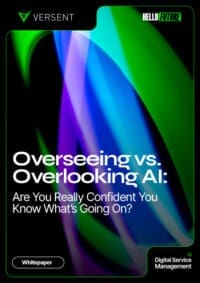
Overseeing vs Overlooking AI
Versent’s white paper explores the growing gap between AI ambition and operational reality and why monitoring alone isn’t enough. Download it now for a practical view of AI observability, governance, and how to stay confident in what your AI is doing.